
Feature tour
Every screen states its conclusion in plain English before it shows you a chart. Each number also carries a badge saying whether it’s measured or estimated (see the accuracy contract).
Context hygiene (first page)
Section titled “Context hygiene (first page)”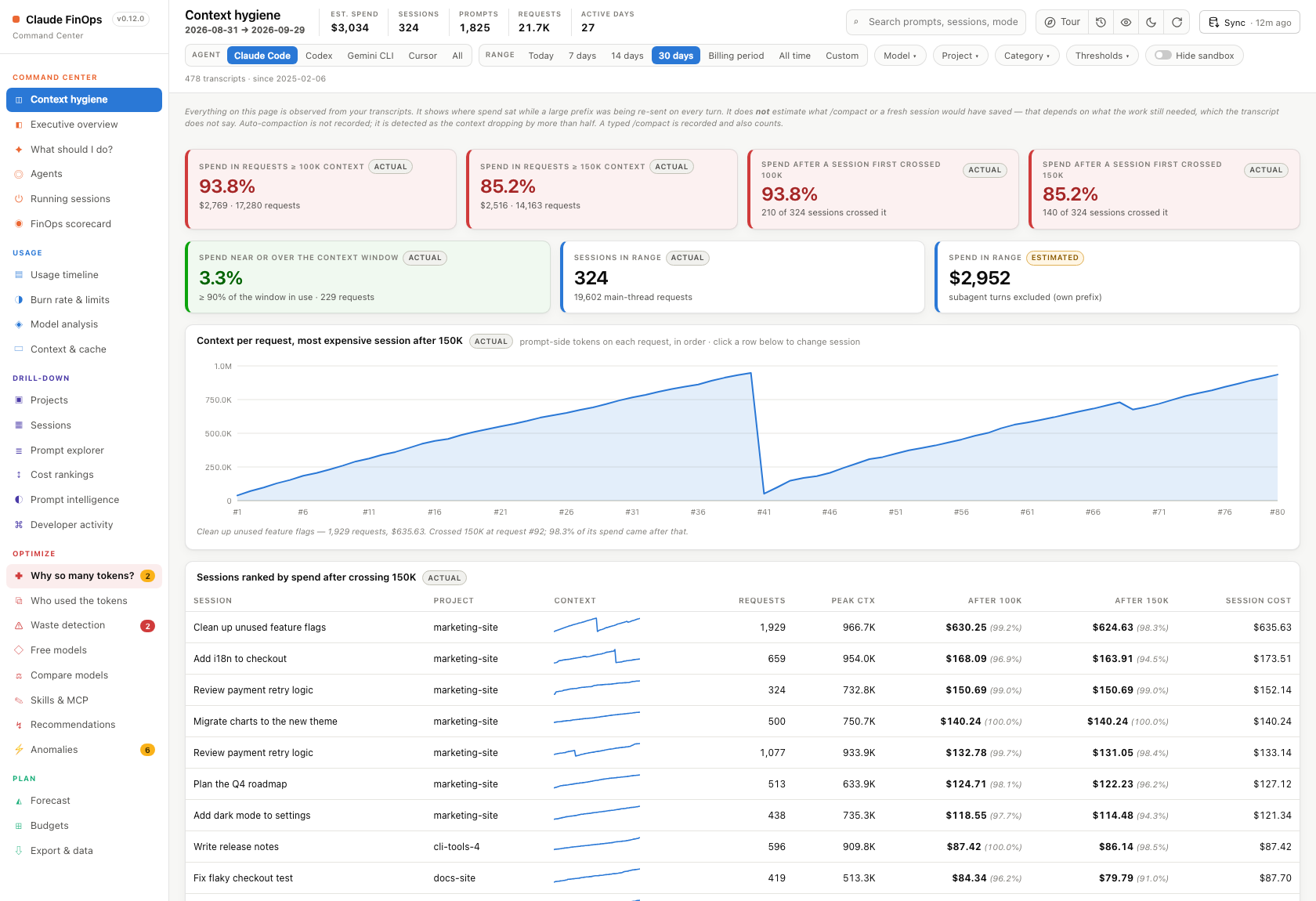
Almost all of a Claude Code bill comes from re-reading context. This page shows, from your own transcripts:
- the share of spend in requests above 100K and 150K tokens of context (both thresholds can be changed in
hygiene.context_thresholds); - the share of spend that came after a session first crossed each threshold;
- each of these cards is colour-graded green, amber, orange or red by how large that share is (hover a card for its bands), and the page tour explains every card;
- every session ranked by how much it spent after crossing;
- for any session you click, the context size of each request in order.
It deliberately does not estimate what compacting would have saved. Whether a fresh session would have been cheaper depends on what the work still needed from the old context, and the transcript doesn’t record that.
Command center
Section titled “Command center”- Act now: the overview opens with one-click actions that apply to you right now. You can compact or hand over a running session that’s carrying heavy context, turn a shell command you keep re-running into a skill, move an instruction you keep re-typing into
CLAUDE.md, or install the statusline. Only strong suggestions make this list. - What to change: each remaining fix is labelled Fix once or Habit, shows its evidence in one line, and has a ✕ to hide it until that evidence changes.
- Executive overview: spend (with today against yesterday), tokens, usage %, remaining allowance and forecast.
- Running sessions: every Claude Code session that’s running right now. You can compact, hand over, interrupt or close each one, or Set limit to give that one conversation its own token limit from its next step. Prompts shows a session’s first and latest prompts so you can tell sessions apart, and Rename gives it a name. Tick idle sessions and use Close selected to close several at once. Click a session’s name to see what fills its context: a grid like
/context, the tools and skills in it, and how much the cache served. - AI FinOps Advisor: answers “what should I do today?” from your live data.
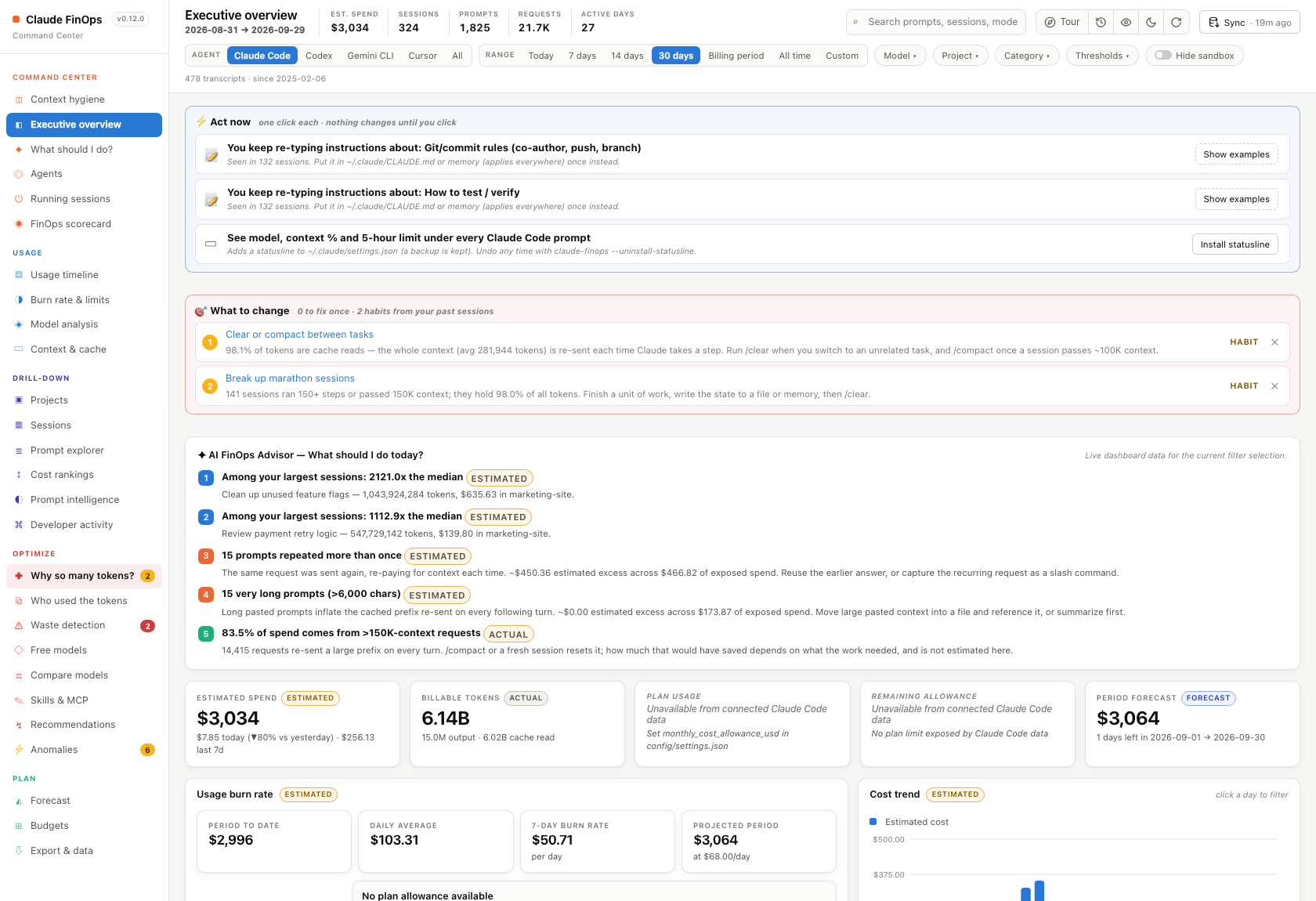
- Scorecard: several health dimensions, each with the reasoning behind its score.
- Plan fit (on the Scorecard): whether to stay on your plan or move up or down, from your plan-limit history in the Claude desktop app and Claude Code’s
/usage. It shows each plan against your heaviest week and a busy 5-hour window, how much of the plan you leave unused, and what your usage would cost at API prices.
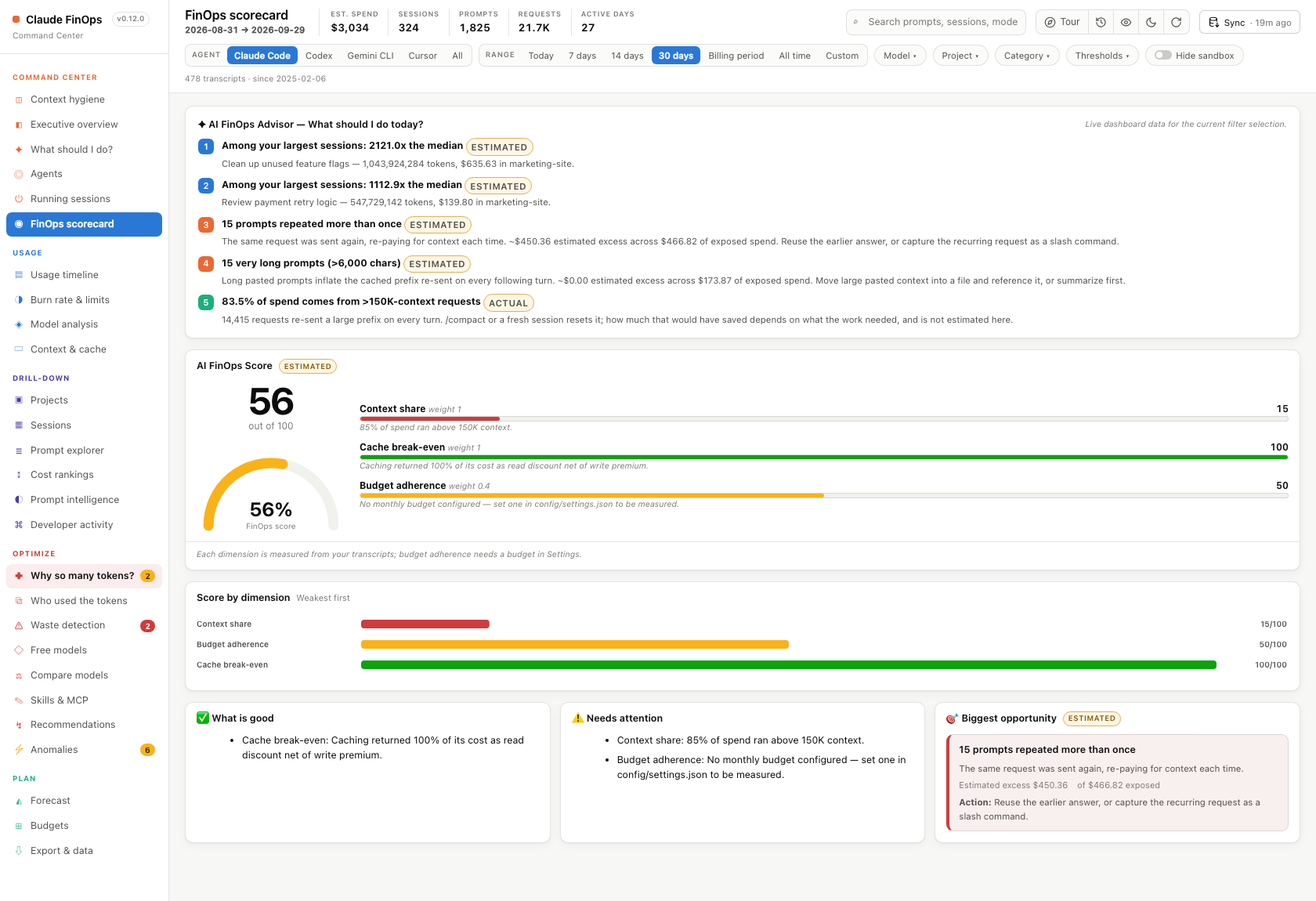
- An interactive timeline with 10 metrics and 6 time ranges; click a day to drill down.
- Peak hours: a weekday × hour heatmap of when you spend, in your own local time. Transcripts are stamped in UTC; every day and hour in the dashboard is converted to your time zone (or
CLAUDE_FINOPS_TZ). - Burn rate and limits: a gauge, days until you hit your limit, and projected overage (once you declare your limits). If the Claude desktop app is installed, it also charts your 5-hour and weekly plan-limit history, with your peaks and how often you ran above 90%.
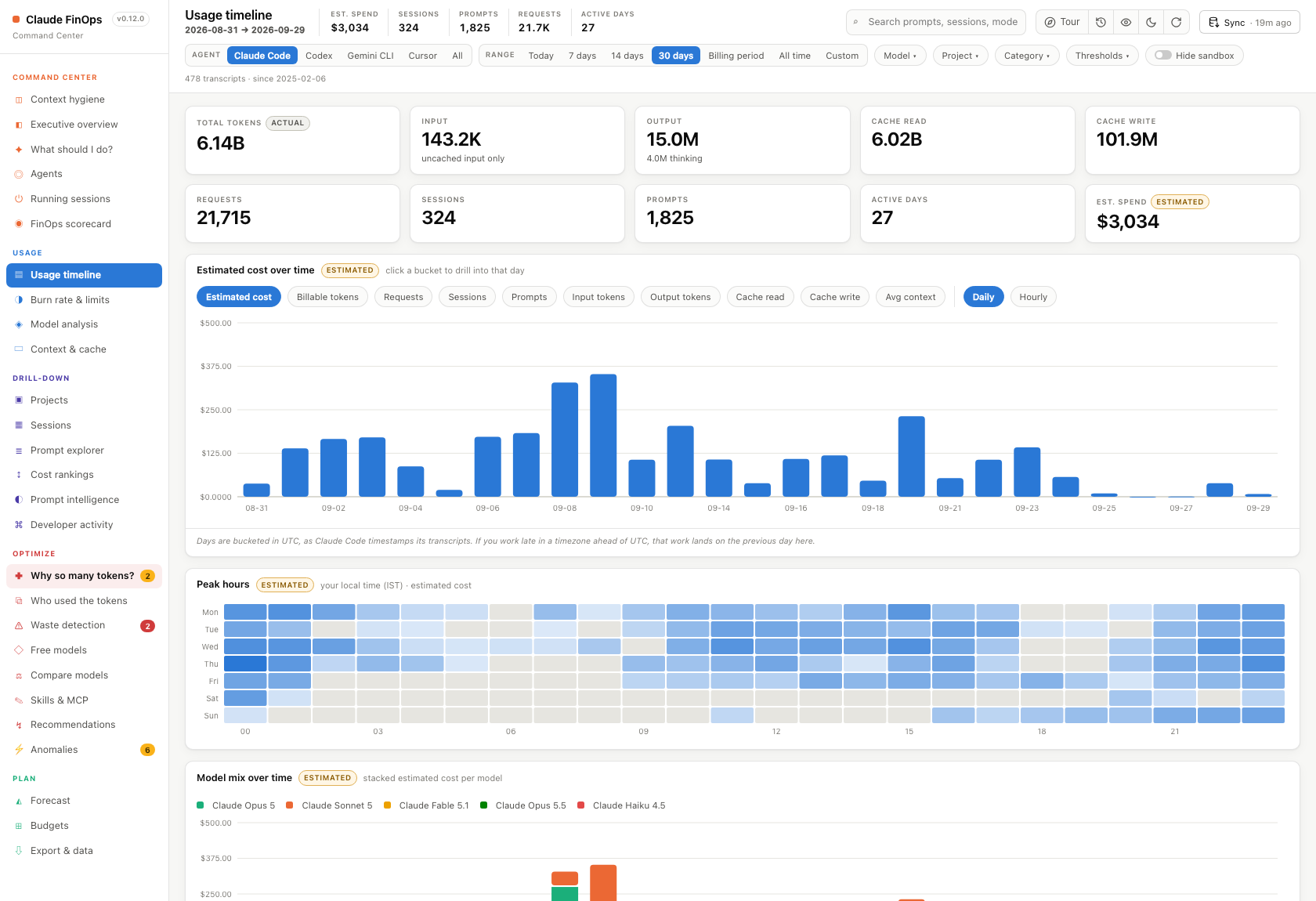
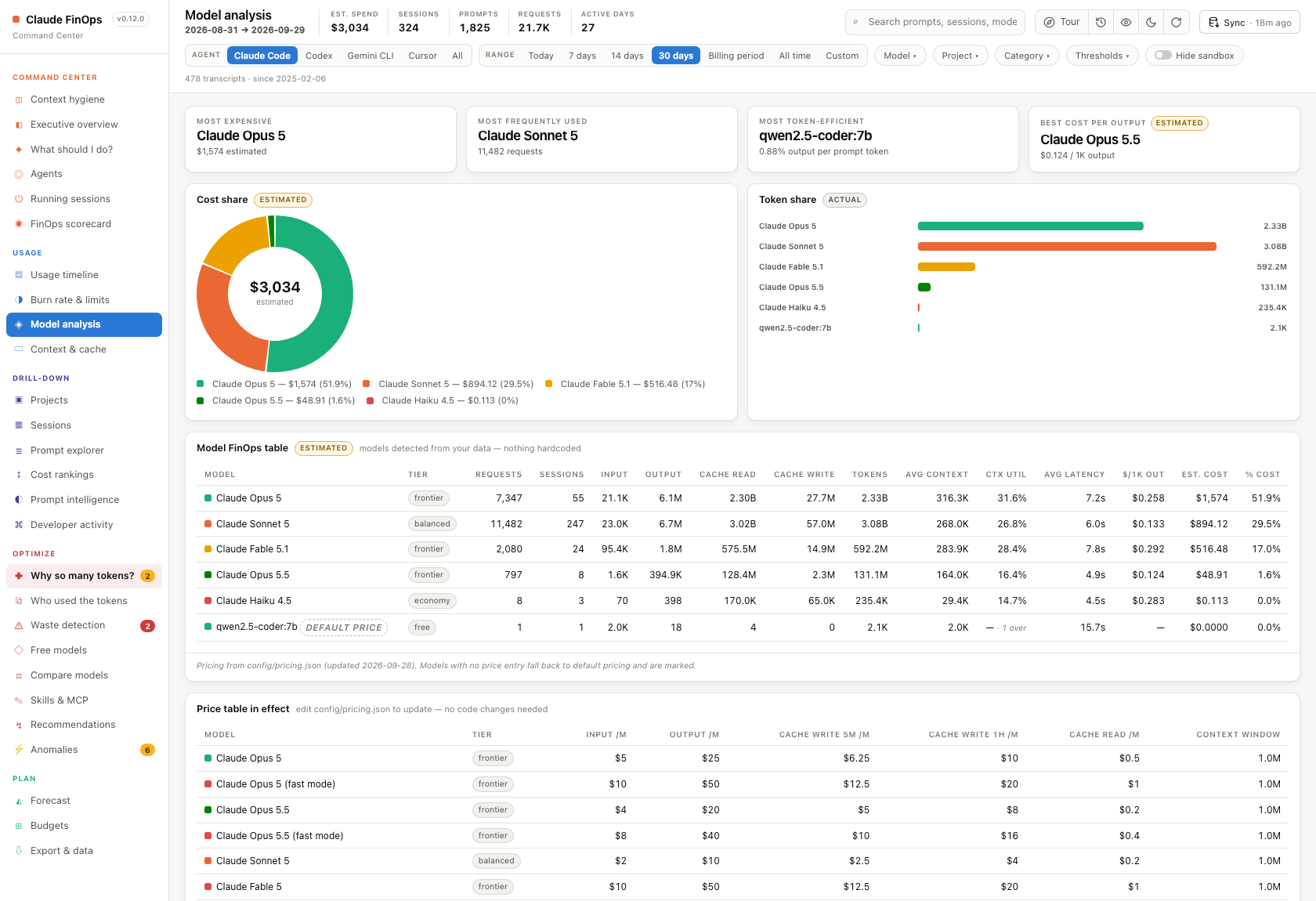
- A per-model table highlighting the most expensive model, the most used, the most token-efficient, and the best cost per output.
- The distribution of context sizes.
Drill-down
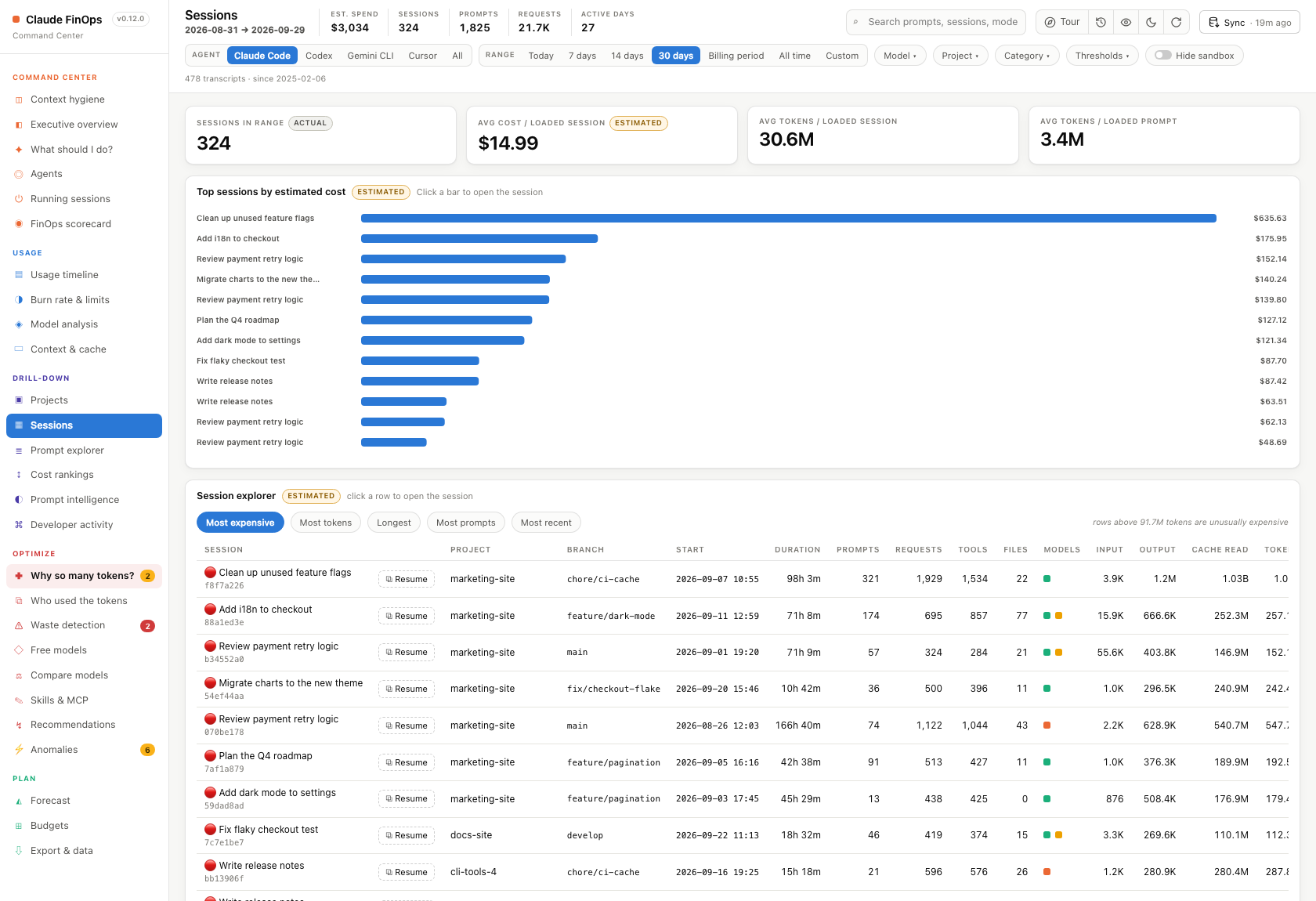
Section titled “Drill-down”Every view lets you go from project to session to the individual prompt. Every session row has Resume, which copies claude --resume <id>, and a session that’s still running also has Compact.
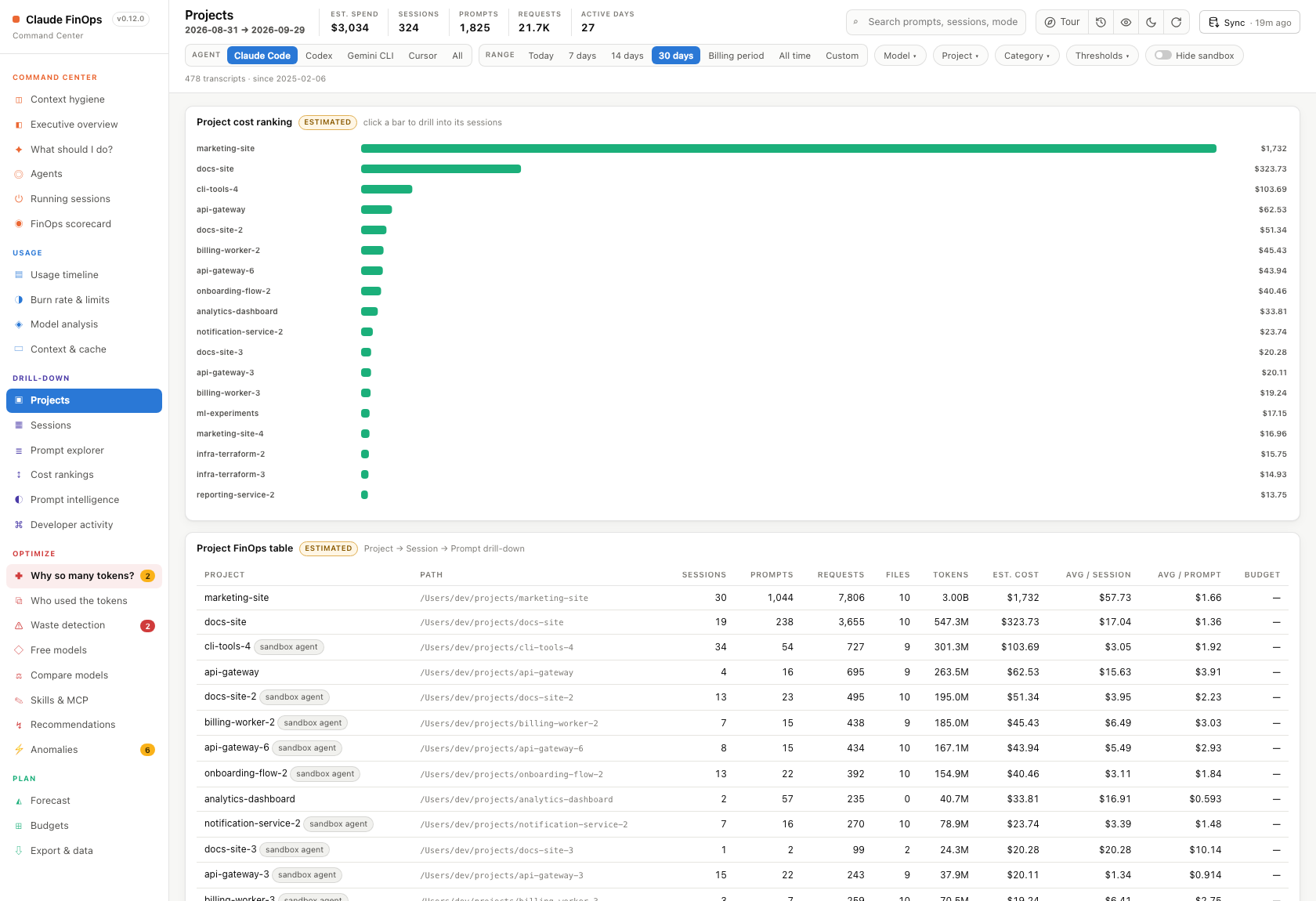
- Prompt explorer: every prompt with its full text, Claude’s reply (in the prompt’s details), category, tokens, cache split, tool calls, files touched, latency and efficiency.
- Five leaderboards, plus spend broken down by activity.
- A Claude Code view: tools, files, branches and cost per repository.
Optimize
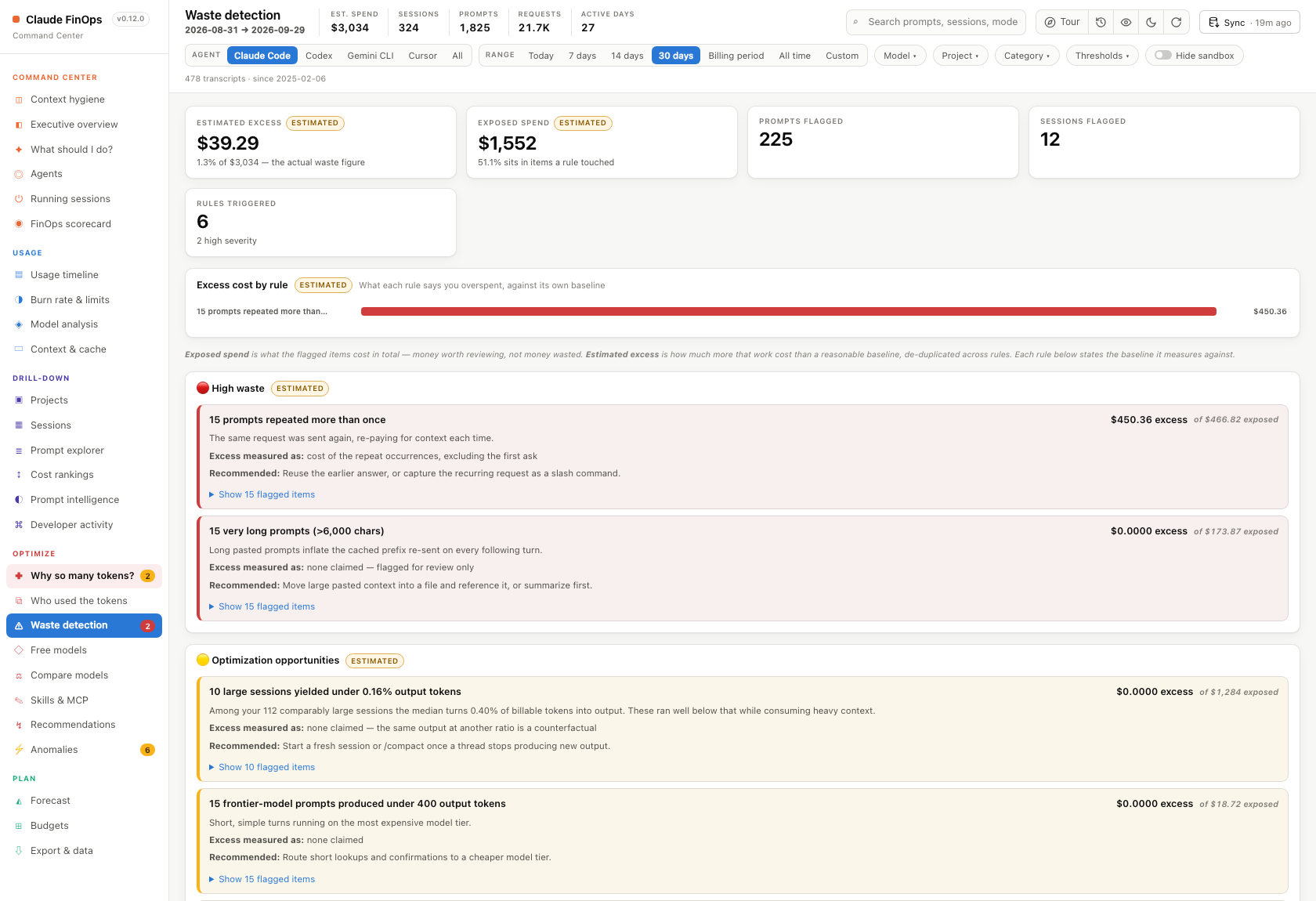
Section titled “Optimize”- Waste detector: rules for repeated prompts, very long prompts (split into ones you sent and ones a script sent), sessions that stopped producing output, short prompts on the top model tier, long tool loops, cache that didn’t pay off and stale sessions. Each shows its real count and the costliest examples.
- Subagent models: for each subagent type, the models it ran on and what a typical run cost, measured from your own runs. A cheaper model is suggested only with enough runs on both sides, and Start experiment lets you try one and compare before and after.
- Recommendations: only appear when there’s evidence in your data behind them.
- Anomaly detection: click an anomaly to see the sessions behind it.
- Jev (fast decisions): install TypeSafe’s Jev plugin for Claude Code in one click, add your Jev API key, and see how much of your own work was really just a decision (short, no tools, “which one”, “yes or no”). Jev makes the apps you build cheaper; it can’t write code, so it doesn’t make Claude Code itself cheaper.
Compare models
Section titled “Compare models”What each model actually cost when you used it for the same kind of work. These figures are measured, not repriced.
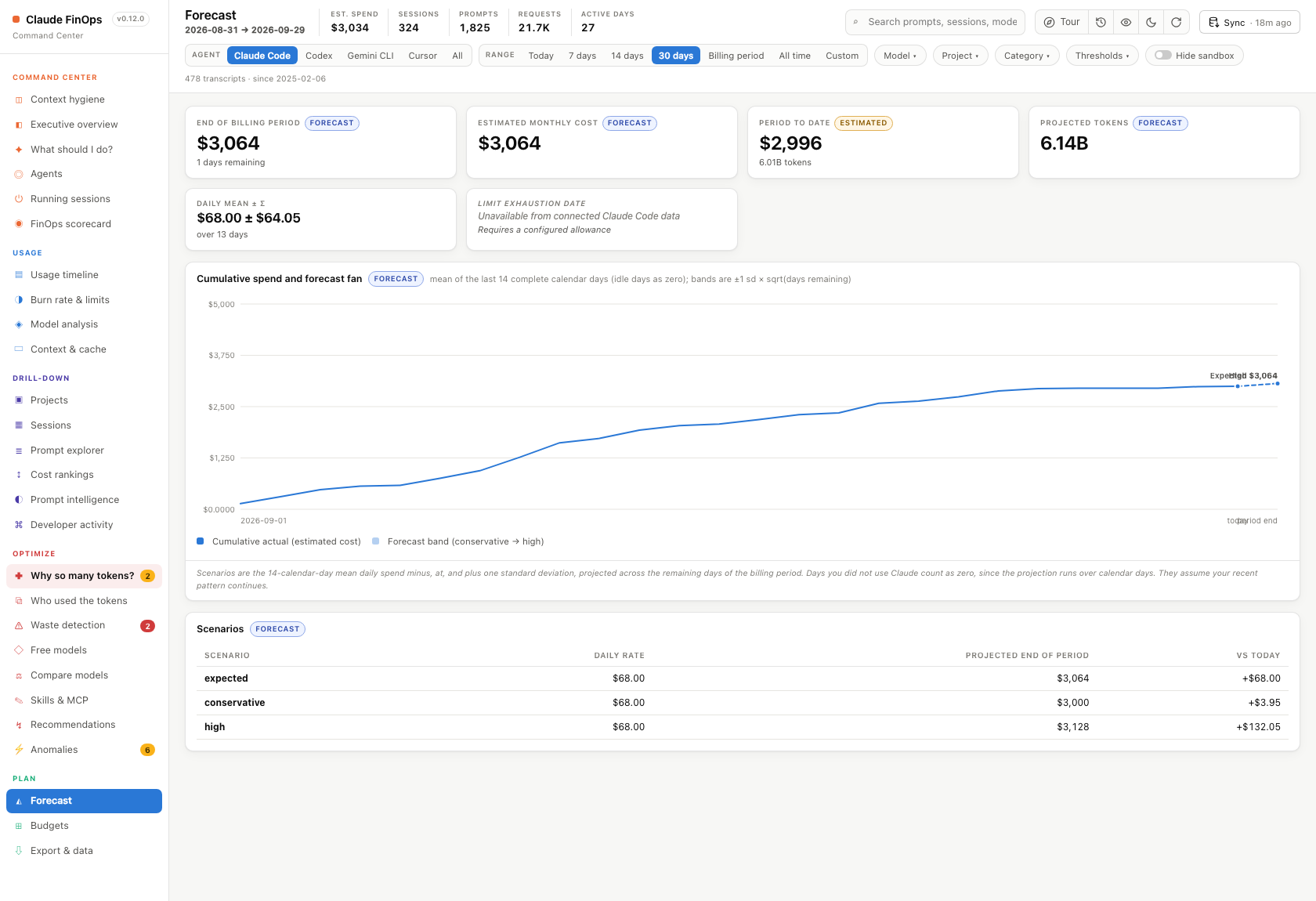
- Forecast: conservative, expected and high scenarios, from your latest data whatever date range is selected.
- Budgets: budget → actual → forecast → variance, with alert thresholds you can configure. Set your limits in three numbered blocks: ① money, ② tokens, ③ one conversation (a per-session token limit, with its own limit per project if you like). Every box suggests values from your own last 30 days and explains a bad value before you save. How does this work? opens a short picture guide.
Everywhere
Section titled “Everywhere”- Totals strip (top bar): estimated spend, sessions, prompts, requests and active days for your current filters, on every page.
- Recent (clock icon in the top bar, or press
R): a side panel with running sessions first (Resume, Compact, Stop), then past sessions by their last prompt. The sort button at the top puts the last-used session on top or at the bottom; running sessions always stay on top. Expand a session to see its prompts, newest first (its own sort button flips them), and click a prompt for its details, including Claude’s reply. It has its own prompt search. - Hide prompts (eye icon in the top bar, and in the side panel): shows prompt text, Claude’s replies and session titles as dots, for screen-sharing. It changes only what the page shows.
- Global search across prompt text, sessions, projects, models, tools and dates.
- Global filters for date, model, project, category, cost and token thresholds, plus a sandbox toggle. Changing a filter updates every chart and KPI.
- Export any view to CSV or JSON, or print a PDF report.
- A link for every page: each page, and the side panel’s session or prompt, has its own URL. Refresh keeps you where you were, and Back and Forward work.
- Which copy is running: next to the version, the header says whether the dashboard runs from the npm install or from a source checkout (with its commit).
Actions (only when you click)
Section titled “Actions (only when you click)”These are the only things that change your machine, and nothing happens until you click.
- Sync (database icon) re-reads
~/.claudeand swaps in fresh data without restarting the server. It also runs by itself once the data is an hour old. Sessions whose transcripts Claude Code has deleted are kept. The circular-arrow Reload next to it only redraws the page. - Start experiment (Subagent models) adds one line,
CLAUDE_CODE_SUBAGENT_MODEL, to Claude Code’s settings after showing it to you, with a backup. It never overwrites a value you set yourself, and Stop removes it. - Compact (Running sessions, Recent, Act now, session rows) types
/compactinto a running session’s terminal (tmux, herdr, Terminal.app, iTerm2 or the Windows console). In any other terminal it copies the command for you to paste. You have to click twice to confirm. - Hand over / split writes a summary of a running session to
~/.claude/finops-handoffs/and opens one or more fresh sessions in new terminals (a new herdr tab when the session runs in herdr), one per sub-task if you list them. It can also close the old session, which you can still resume later. - Rename (Running sessions) types
/rename <name>into the session’s terminal, so Claude Code saves the name itself. In herdr, the agents sidebar gets the same name. If the terminal can’t be reached, the command is copied for you to paste. - Interrupt / Close / Force kill send a signal to the session’s process, and each needs two clicks. A session that is working, or was used in the last 50 minutes, gets a clearer warning first. In herdr, Interrupt presses Esc in the session’s pane instead. Interrupt works on macOS and Linux only.
- Install statusline adds model, context % and 5-hour limit under every Claude Code prompt. It keeps a backup of your settings and won’t replace a statusline you already have.
- Install live warnings (Budgets, block ③, or
claude-finops --install-guard) is optional: your limits work without it. It adds a small helper to Claude Code that warns you as a conversation grows and asks “continue?” before the next step once it reaches its limit. It keeps a backup of your settings, never touches your other hooks, and if it ever fails it lets Claude carry on. - Settings → API keys stores the optional Anthropic Admin key used by Billed vs local. The page only ever shows a key’s last four characters.
- Jev → Install shows the two
claude plugincommands it will run and asks you to confirm first. Save key puts your Jev key in Claude Code’s settings so new sessions can use it. - Free models adds a launcher (for example
claude-qwen) that runs Claude Code on a free model through Ollama or OpenRouter. It lists every step first and asks before it installs anything. Your normalclaudecommand is unchanged. - Skills & MCP suggests MCP servers and skills based on work you repeat, showing the evidence for each suggestion.