
Getting started
Claude FinOps is a local dashboard for your own Claude Code usage. It reads the transcripts Claude Code has already written on your machine and shows what you used, what it cost, why it cost that much, and what to change.
Requirements
Section titled “Requirements”- macOS, Windows or Linux
- Python 3.9 or newer
- Claude Code, used at least once (so there are transcripts to read)
That’s all. There’s nothing to pip install, no API key and no account.
1. Run it
Section titled “1. Run it”npx claude-finopsnpx downloads and runs it with nothing installed first. On first run it reads ~/.claude/projects and builds a local warehouse, which takes roughly a minute for a few hundred transcripts. After that, every start takes about a second.
2. Open the dashboard
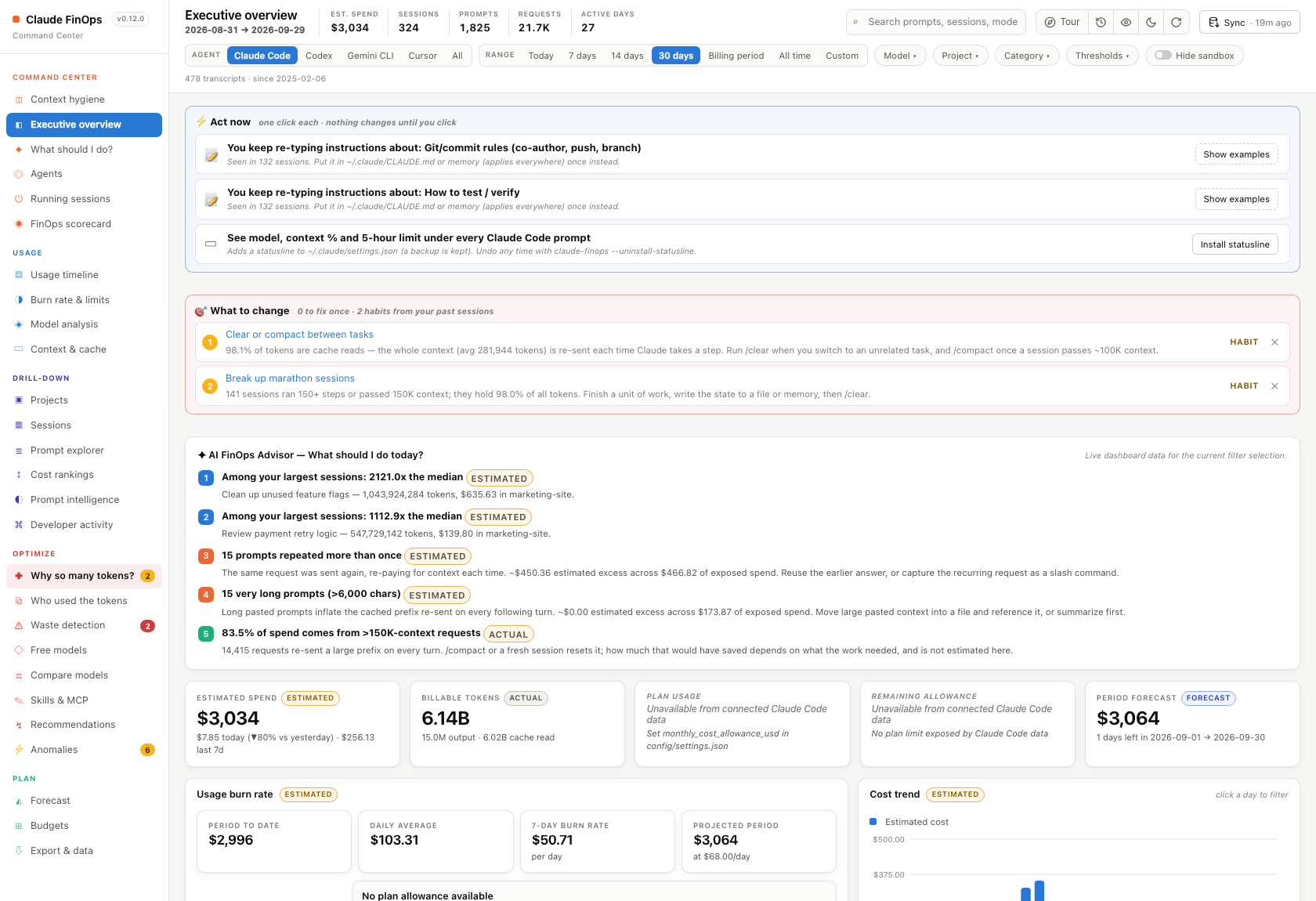
Section titled “2. Open the dashboard”The dashboard opens in your browser by itself as soon as it’s ready. If it doesn’t (over SSH, for example), go to http://127.0.0.1:8787. It starts on Context hygiene, which shows the biggest driver of most Claude Code bills. The executive overview is one click away. It opens with Act now, a short list of one-click fixes that apply to you right now, followed by spend, tokens, burn rate and forecast.
3. Ask it what to do
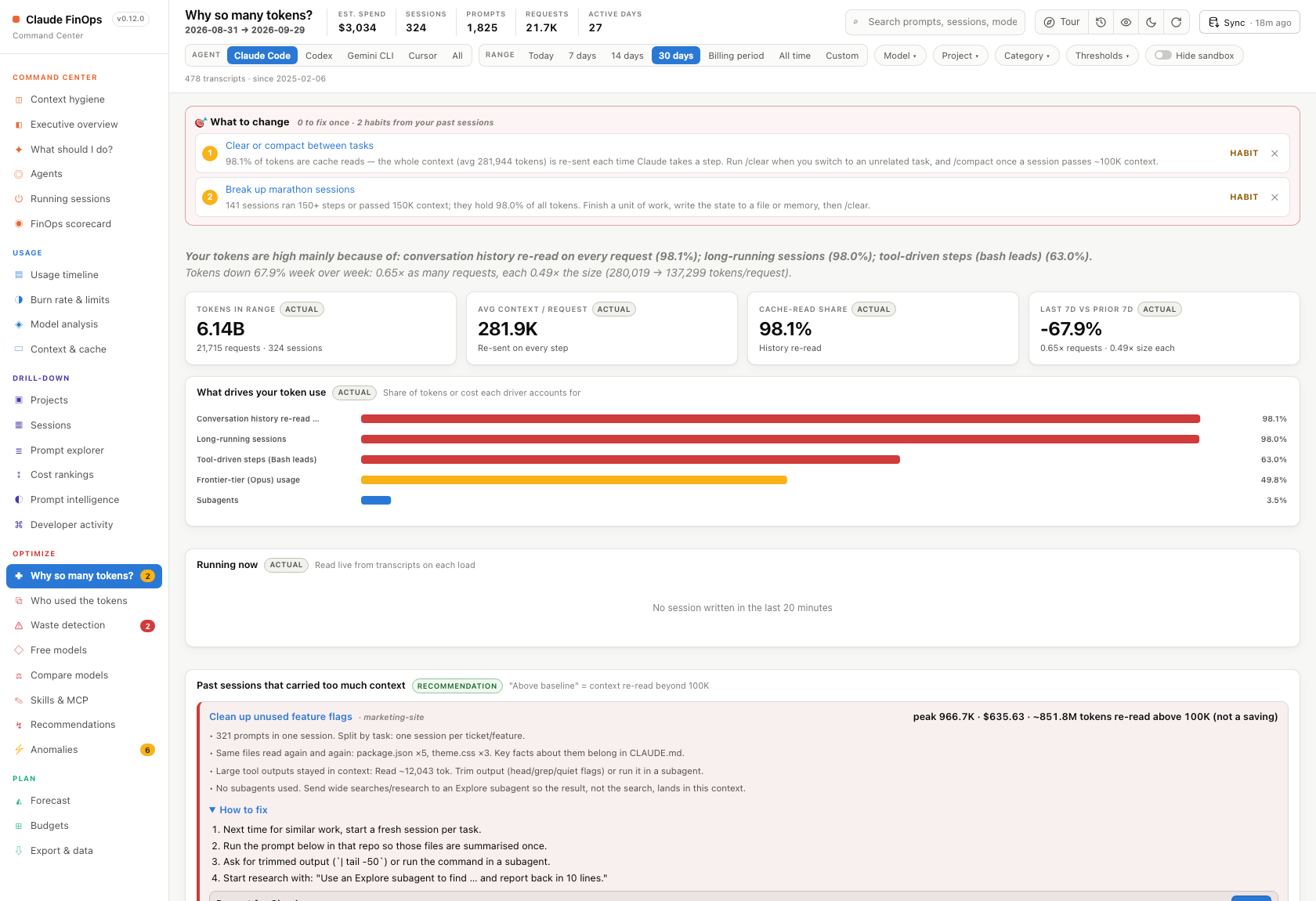
Section titled “3. Ask it what to do”Open “Why so many tokens?” It explains where your tokens actually went and gives you a prompt you can paste straight into Claude Code to fix it.
4. Stop it
Section titled “4. Stop it”claude-finops --stopInstall permanently (optional)
Section titled “Install permanently (optional)”npm install -g claude-finopsclaude-finops # from any directoryNext steps
Section titled “Next steps”- Feature tour: every view, explained
- Commands: every CLI flag
- Accuracy contract: which numbers are measured and which are estimated